


Compare Two Excel Spreadsheets - Synkronizer 11 will save you hours and hours of tiring manual work!
Compare, update and merge Excel tables and entire databases automatically in just a few seconds.
For 19 years we have constantly enhanced the Synkronizer. This new edition is simply the most accurate and best performing Excel compare tool in the market, that boosts your productivity. Now, you can easily compare two excel sheets and highlight differences.
An unmatched accuracy and performance you can trust in.
For more than 19 years we have been working closely with our clients and have listened carefully to their challenges in comparing Excel worksheets. These feedbacks have been constantly integrated in each new Synkronizer version.
Synkronizer 11 achieves now an accuracy in comparing Excel files that are unmatched in the market.
Automatic comparing, merging and updating Excel data require a tool, in which you can fully trust. Multiple 10'000 clients worldwide trust already in the Synkronizer.
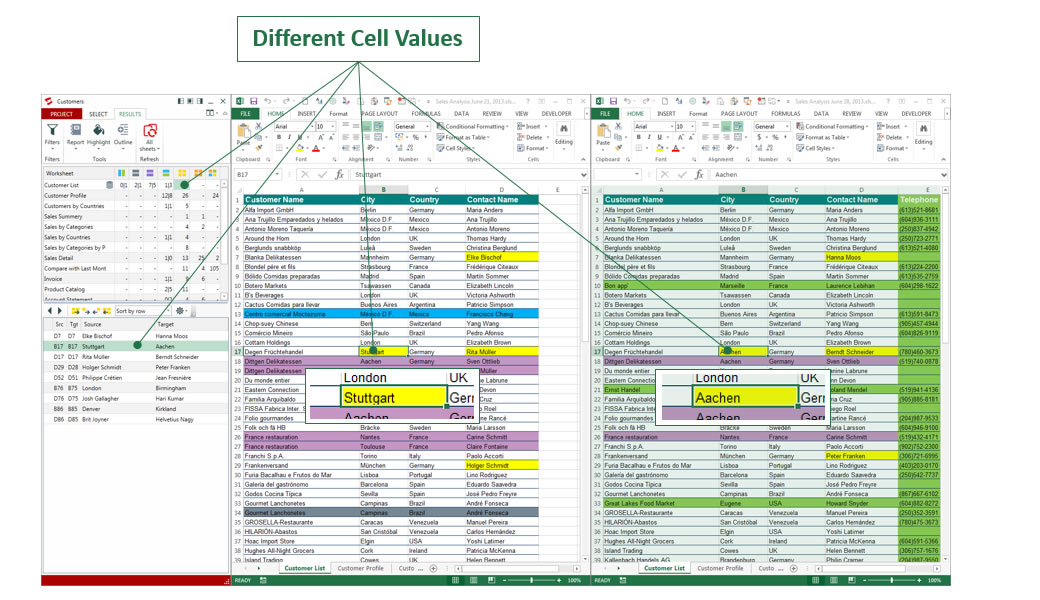
Compare millions of cells and unlimited tables within seconds.
Synkronizer is made for simple Excel tasks, such as comparing and merging supplier databases, as well as for complex workbooks that require a maximum performance, speed and accuracy.
Now you can compare two excel spreadsheets and an unlimited number of Excel worksheets, all at the same time with just a few clicks.
No matter how large your Excel file is - The Synkronizer will prove its powerful performance to boost your productivity and to save the maximum time.
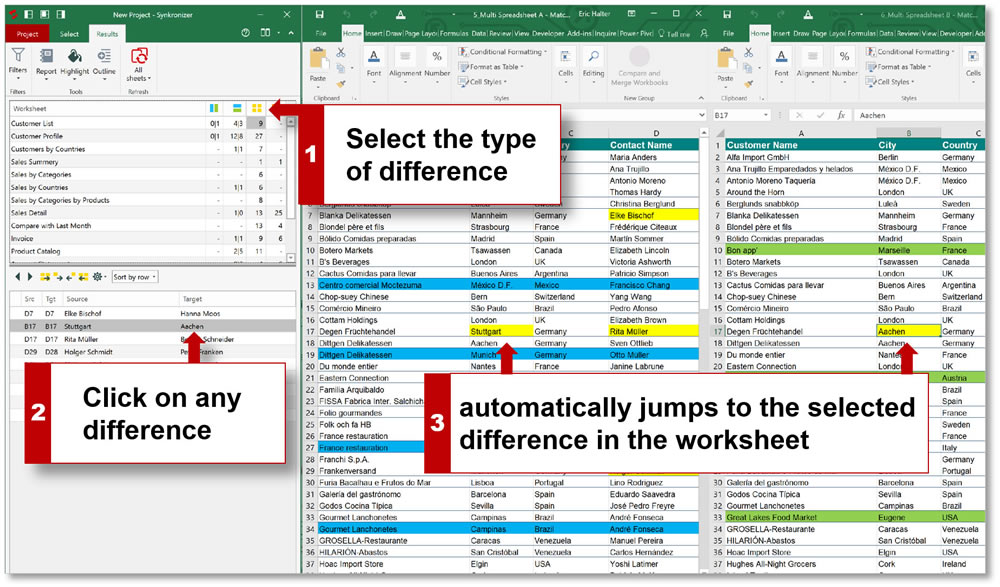
Keep your databases up to date automatically.
Synkronizer 11 enables you to compare two excel files for differences, update and consolidate any Excel database faster and more accurate than manual. Within seconds you can consolidate supplier databases from various departments or update your client database. Synkronizer 11 enables you, to save time and to improve the quality of your most valuable assets - Your databases.

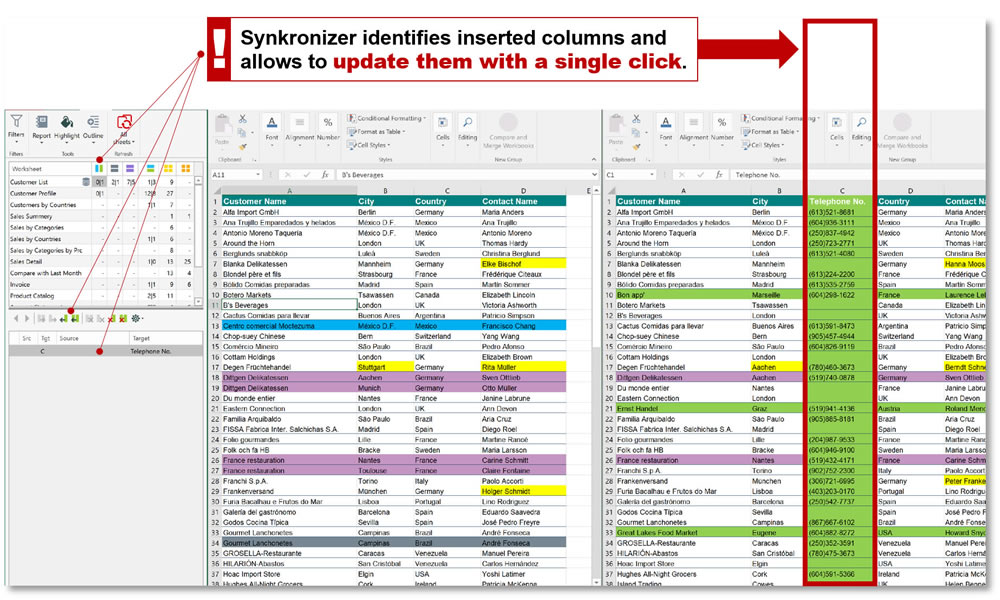
Inserted columns and rows - No big deal for Synkronizer.
Inserted rows and columns are mostly a tricky challenge.
No big deal for Synkronizer 11. Inserted columns and rows are accurately identified and highlighted automatically.
Once identified, a convenient and easy to use interface will guide you through the process of merging or updating cells. You can compare two excel files for differences all with a simple mouse-click.
Comparison beyond just numbers and texts.
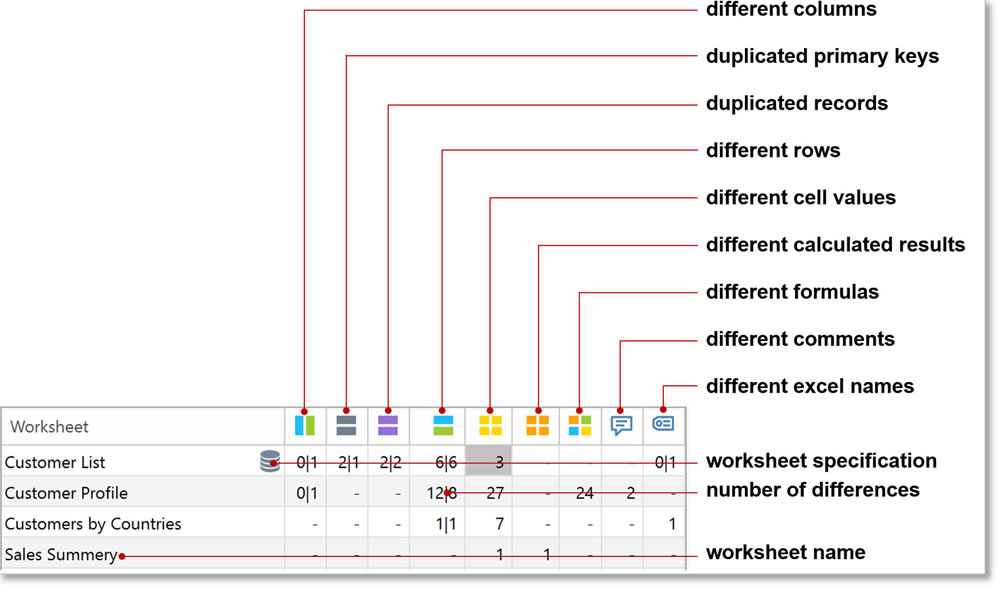
Synkronizer 11 goes far beyond comparing only Excel worksheets, such as standard formats, numbers and texts.
With Synkronizer you can compare values, such as texts and numbers, as well as entire formulas regardless of how complex they are.
That is not all. Synkronizer 11 also compares cell comments.
Synkronizer 11 - Installed and ready to go in seconds.
With Synkronizer 11, you can compare two excel sheets and highlight differences. It has only few standard requirements and can be installed on local PCs as well as on networks.
Supported Operating Systems
- Windows 11 / 32-bit and 64-bit
- Windows 10 / 32-bit and 64-bit
- Windows 8 / 32-bit and 64-bit
- Windows 7 / 32-bit and 64-bit
- Windows Vista / 32-bit and 64-bit
- Windows XP
- Windows Server 2008
- Windows Server 2012
- Windows Server 2016
Supported Excel Versions
- Excel 365 / 32-bit and 64-bit
- Excel 2021 / 32-bit and 64-bit
- Excel 2019 / 32-bit and 64-bit
- Excel 2016 / 32-bit and 64-bit
- Excel 2013 / 32-bit and 64-bit
- Excel 2010 / 32-bit and 64-bit
